
WooCommerce Inventory Automation for smarter commerce.
Spot low stock early and keep teams aware of inventory changes. See the problem, the exact process and the business benefit in a visual demonstration built for US store owners.
Workflow illustration for service planning, implementation, and business discussion.
Shopify / WooCommerce → n8n → Business Rules → Approved Action → Reporting
WooCommerce Inventory Management in one infographic.
This visual section helps merchants quickly understand the challenge, the workflow approach, and the business value behind woocommerce inventory management.
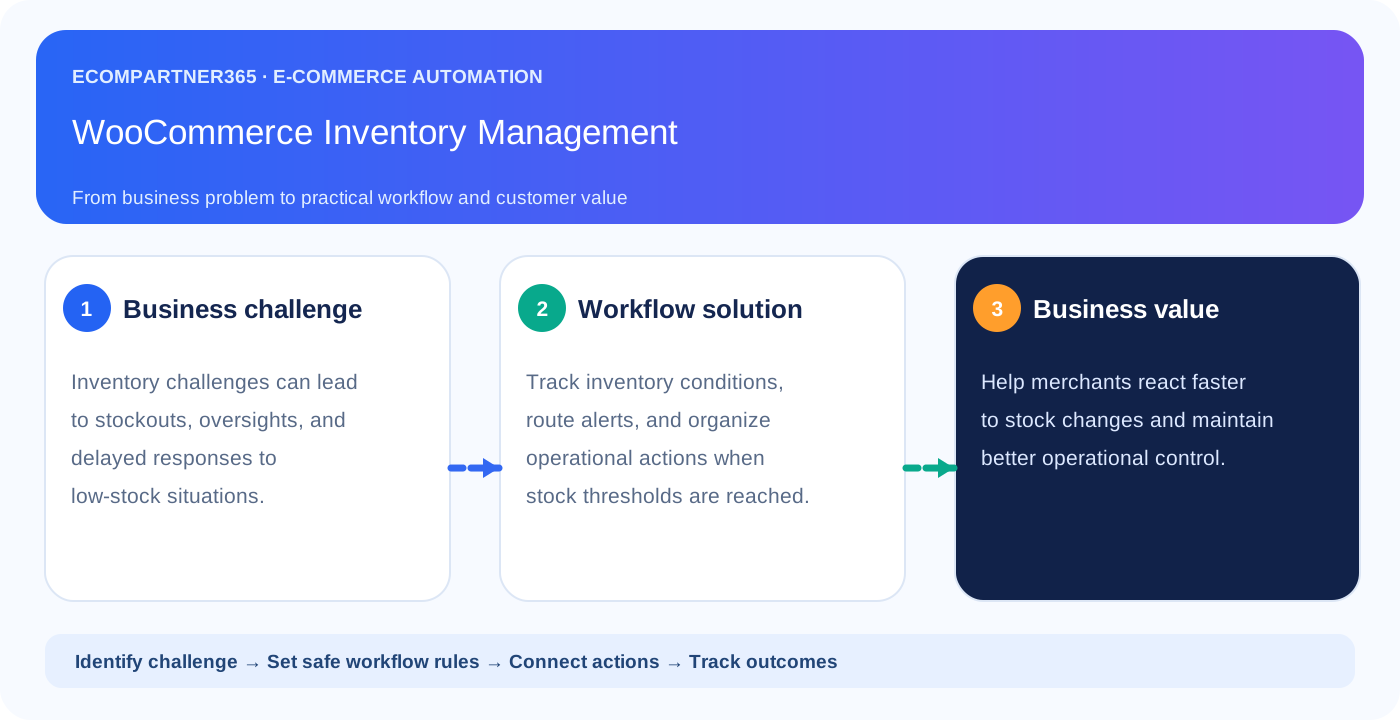
Understand the challenge. See the solution.
Every automation starts with a real operational or revenue problem, not technology for its own sake.
The customer problem
Stockouts, mismatched counts and late purchasing decisions.
What automation does
Scheduled WooCommerce stock checks, configurable thresholds and exception alerts.
Why it matters
Better visibility, fewer surprise stockouts and less manual checking.
A complete process, in one graphic.
Follow each stage from the first store event to the measurable business outcome.
Six steps show where data is read, business rules are applied and the outcome is recorded. The diagram is embedded directly in this HTML file.
Watch all six steps move forward.
Press Play, select an individual step, or move through the workflow manually.
- Real event or authorized source data
- Configurable rules, no blind automation
- Activity logging and exception handling
Not just a trigger. Verified automation.
Before updating anything or sending any customer-facing communication, the system checks permissions and business rules.
Failed checks stop the workflow or route the item for human review. Client authorization and API permissions are required for live execution.
From manual friction to repeatable operations.
✕ Without an integrated workflow
- Stockouts, mismatched counts and late purchasing decisions.
- Teams copy data between applications.
- Exceptions can sit unnoticed in inboxes.
- Results are difficult to attribute and review.
✓ With EcomPartner365 automation
- Scheduled WooCommerce stock checks, configurable thresholds and exception alerts.
- Business rules are explicitly configured.
- Failed steps produce alerts or review tasks.
- Actions and outcomes are logged for reporting.
What this looks like in practice.
Illustrative examples showing real decisions rather than inflated claims.
These vector illustrations are stored inside the document and do not depend on external image hosting.
Discover the issue
Automate the right step
Review the outcome
Explore your potential time savings.
Adjust the inputs to understand the *illustrative* operational opportunity; these results are not actual client performance or promised savings.
Your store's monthly workload
Move any slider to update the estimate instantly.
Answers before implementation.
Does this live demo connect to my store?
No. This page simulates the journey; the real implementation requires your store authorization, API credentials, testing and production controls.
Can I approve automated actions before launch?
Yes. Drafting, high-risk actions and sensitive data access can be configured for human review and limited permissions.
Does n8n replace Shopify, WooCommerce, Klaviyo or the CRM?
No. n8n orchestrates work across authorized systems; each specialized platform remains responsible for its core functions.
How are results measured?
We first define baseline metrics and event attribution, log outcomes, and compare results over time. Some marketing benefits need a holdout experiment to estimate incremental impact.
See the opportunities in your own store.
Book a free 15-minute automation audit with EcomPartner365. We'll scope the systems, high-value workflows and safe rollout.